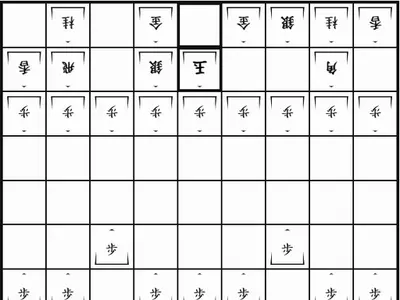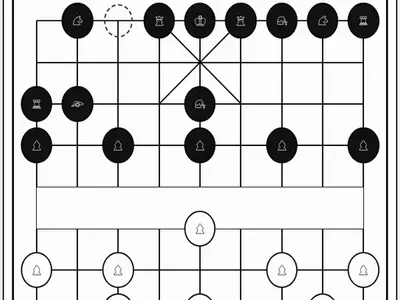
The pieces sit on the lines instead of inside squares, a river cuts the board in half, and the cannon can only capture by leaping over another piece. Xiangqi unblocked brings the traditional chess of China to a browser tab, with a computer opponent and a two-player mode.
Christopher Müller built this version for his PaperGames collection. If the Chinese characters are new to you, one button swaps them for small pictures of each piece.
How to play Xiangqi
Red moves first. On each turn you move one piece, and landing on an enemy piece captures it. You win by checkmating the opposing General or by leaving the other side without a legal move. There is no stalemate draw.
The General and its two Advisors are stuck inside a small palace of nine points. The General steps one point straight, and each Advisor steps one point diagonally. Elephants jump exactly two points diagonally and must stay on their own side of the river. A Horse travels in an L shape, one orthogonal point followed by one diagonal point, and any piece on that first point stops it.
Chariots move any distance along a line. Cannons move the same way but capture only by hopping over exactly one piece. Soldiers move one point forward and may also go sideways once they cross the river. One special rule: the Generals can never stare at each other down an empty file, and any move that would allow it is blocked.
Controls
| To… | Keyboard | Mouse | Touch |
|---|---|---|---|
| Move a piece | Tab to the board, arrow keys to reach a point, Enter on your piece and again on its target | Click your piece, then click the point it should move to | Tap your piece, then tap its target point |
| Switch between character and symbol pieces | — | Click "Switch to symbols" or "Switch to characters" | Tap "Switch to symbols" or "Switch to characters" |
| Show or hide the move list | — | Click "Moves" | Tap "Moves" |
| Choose side and opponent | — | Pick red or black and a level, then click "New game" | Pick red or black and a level, then tap "New game" |
| Undo or resign | — | Click "Undo" or "Resign" | Tap "Undo" or "Resign" |
Tips
- Get your chariots out. They are the strongest pieces, and an open file lets them threaten both halves of the board.
- Count the screens for cannons. A cannon needs exactly one piece between it and its target, so a single blocker can turn into a threat.
- Free your horses early. A boxed-in horse gets blocked constantly and does little.
- Use the facing-Generals rule. A piece standing between the two Generals on an open file is stuck, because moving it would break the rule.
- Switch to symbols while learning. Picture pieces make it easier to remember what each one does until the characters feel familiar.
Xiangqi questions
Can I play against the computer?
Yes. Choose red or black, pick Easy, Medium or Hard, and start a new game. You can also share the screen with a friend for a two-player match.
Can I keep checking to force a draw?
No. Moves that would repeat a position a third time through endless checks or chases are refused, so you have to find another move.
Is my game saved?
Yes. The current game stays in your browser between visits on the same device. Your choice of characters or symbols is remembered too.