If you know the old disc-flipping board game, forget your favorite corner tricks. Universal Reversi unblocked wraps the board on every side, so a row that leaves the right edge comes back on the left, and top meets bottom too.
That one change means no square is truly safe. Norbert Nopper made this version, which comes with several board sizes and five computer strengths.
How to play Universal Reversi
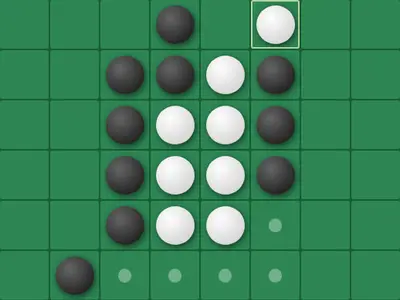
Four discs start in the center, two black and two white on the diagonals. On your turn, place a disc so that at least one straight line of enemy discs ends up boxed in by your new disc on one end and an old one on the other. All discs in that line turn to your color.
Lines can run in any of eight directions, and they can cross the edge of the board and keep going on the far side. Dots mark every legal spot. If you have no move, your turn passes. When neither player can move, the one with more discs wins.
You play Black against the computer by default, and Black moves first. The settings let you play a friend on the same screen, hand Black to the computer or let two computer players face off.
Controls
| To… | Keyboard | Mouse | Touch |
|---|---|---|---|
| Place a disc | — | Click a cell marked with a dot | Tap a cell marked with a dot |
| Shift the view of the board | Arrow keys | Click the PAN arrow buttons | Tap the PAN arrow buttons |
| Start a new game and apply settings | — | Click "Reset Game" | Tap "Reset Game" |
| Change players, board size or difficulty | — | Use the Game Settings panel, then reset | Use the Game Settings panel, then reset |
Tips
- Think in circles. Before you play, check whether the line you open can be captured from across the edge.
- Fewer discs early is fine. Flipping a lot in the opening gives your opponent more targets. Aim for moves that leave them few choices.
- Watch the dots. Count how many legal moves you hand the other side. Leaving them one or two poor options is often better than a big flip.
- Pan the view. The arrow keys shift the board, which helps you see a wrapped line as one straight row.
- Climb the levels. Start on an easier computer to get used to wrapping, then move up once you stop getting surprised.
Universal Reversi questions
How are the computer levels different?
The easiest level picks any legal move at random. The next one always grabs the most discs right now. The top three look ahead at replies, each searching deeper than the one below.
I changed a setting but nothing happened. Why?
Choices in the Game Settings panel, such as players, board size and difficulty, only apply after you press Reset Game. Display options change right away.
Is there a high-contrast mode?
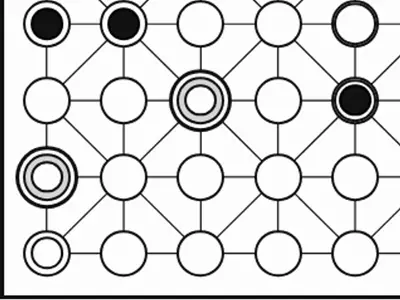
Yes. Turning on Accessibility swaps the shaded discs for flat black and white ones with a thick ring, which are easier to tell apart.