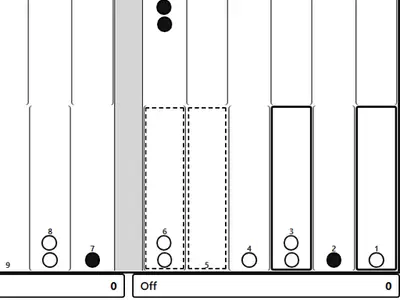
Two dice, 24 narrow points and 15 checkers on each side. Luck sets the numbers you roll, but how you spend them decides most games. Good players win more often over time because they leave fewer checkers open and know when to raise the stakes.
This Backgammon unblocked page comes from Christopher Müller's open-source PaperGames set. You can take on a computer at Easy, Medium or Hard, or play a friend by passing one phone, tablet or laptop back and forth.
How to play Backgammon
Black opens the game. Roll, then move one checker by each die, or one checker by both. Doubles let you move four times. You can stop on any point that is empty, holds your own checkers or holds just one enemy checker. Landing on a lone enemy sends it to the bar.
A checker on the bar has to come back into play through the opponent's home board before its owner can make any other move. The game enforces the standard rule that you must use as many dice as possible, and the higher one if only one fits. With no legal play, the turn passes.
When all 15 of your checkers sit in your home board, you may bear them off. The first player to clear the board wins. A plain win scores 1, a gammon 2 and a backgammon 3, and the doubling cube multiplies that score.
Controls
| To… | Keyboard | Mouse | Touch |
|---|---|---|---|
| Roll the dice | Tab to "Roll dice", then Enter | Click "Roll dice" | Tap "Roll dice" |
| Move a checker | Arrow keys to a point, Enter, then arrow to the target and Enter | Click a point with your checker (or the Bar), then the target point | Tap a point with your checker (or the Bar), then the target point |
| Bear off | — | Select the checker, then click "Off" | Select the checker, then tap "Off" |
| Offer a double before rolling | — | Click "Double" | Tap "Double" |
| Undo, resign or show the move list | — | Click "Undo", "Resign" or "Moves" | Tap "Undo", "Resign" or "Moves" |
| Set up a new game | — | Open "Menu", choose "2 Player (local)" or "vs Computer", then "New game" | Open "Menu", choose "2 Player (local)" or "vs Computer", then "New game" |
Tips
- Use the pip count to choose a plan. If you are well ahead in the race, run home and avoid contact. If you are behind, keep checkers back to wait for a shot.
- Make points, not stacks. Two checkers on many points are stronger than five on one point.
- Count the shots before leaving a blot. A single checker six or fewer points from an enemy can be hit with one die, so tuck it farther away when you can.
- Build a wall in front of trapped checkers. Several held points in a row make it hard for a checker on the bar or deep in your board to escape.
- Raise the cube when the race is clearly yours. The computer declines when it trails badly, which hands you the game at its current value.
Backgammon questions
How hard is the computer?
Easy plays random legal moves. Medium judges each move on progress, hits and safety. Hard also weighs how likely a loose checker is to be hit next roll, so it leaves fewer openings.
Can I take back a mistake?
Yes. Undo takes back a move you just made, and the Moves list shows the game so far. Resign is there too if a position is lost.
Will my game still be there after a reload?
Yes. The board, dice, cube and move list are stored in your browser, so an accidental refresh does not wipe the match.
Does the computer ever offer a double?
No. Only you can offer the cube against the computer, before your roll. In a two-player game, the other person accepts or declines in a pop-up.