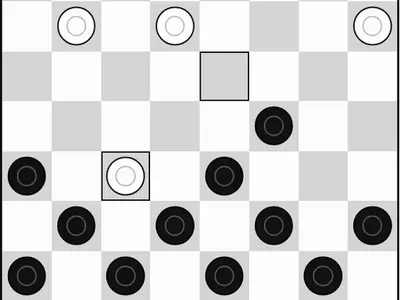
Twelve pieces each, dark squares only, and one rule that shapes every game: if you can jump, you must. That forced capture is what turns checkers from a simple race into a game of traps, where giving up one piece can win you three.
This Checkers unblocked page is taken from the free PaperGames project by Christopher Müller, with a clean black-and-white board that reads well on a phone or a projector. Pick Easy, Medium or Hard against the computer, or pass the device across the table to a friend.
How to play Checkers
Black makes the first move. A regular piece moves one square diagonally forward onto an empty dark square and can't go backward.
To capture, hop over an enemy piece that is diagonally next to you, landing on the empty square just past it. The jumped piece leaves the board. If the same piece can jump again from its landing square, it keeps going in the same turn. You tap only the final square, and the game plays the whole chain.
When a piece reaches the far row, it becomes a king and can move and jump in all four diagonal directions, one square at a time. A player loses when every piece is gone or nothing can legally move. If both sides go 40 moves without a capture, the game is a draw.
Controls
| To… | Keyboard | Mouse | Touch |
|---|---|---|---|
| Move a piece | Arrow keys to reach a square, Enter to pick it | Click your piece, then the square it should land on | Tap your piece, then the landing square |
| Pick a game mode | — | Click "2 Player (local)" or "vs Computer" | Tap "2 Player (local)" or "vs Computer" |
| Start a game against the computer | — | Choose a color and level, then click "New game" | Choose a color and level, then tap "New game" |
| Take back your last move | — | Click "Undo" | Tap "Undo" |
| Show the mode buttons during a game | — | Click "Menu" | Tap "Menu" |
Tips
- Leave your back row alone early. As long as it is full, the other side has nowhere to crown a king.
- Use the forced jump against the computer. Offer a piece where the only capture lands the enemy in a spot you can double-jump.
- Aim for the middle. A central piece can step to either side, while a piece on the edge has only one way forward.
- Keep a backer behind each piece. When a friendly piece covers the square diagonally behind, nothing can jump in from that side.
- Kings decide the endgame. Once the board thins out, push for a crown, since a piece that can retreat is much harder to trap.
Checkers questions
Is there a two-player mode?
Yes. Two people can take turns on one screen. Playing the computer, you decide whether you take black or white, or leave the choice to chance.
How do I pick between two jumps that land on the same square?
Tap the enemy piece you mean to capture. That tells the game which of the two paths to play.
Is there an undo button?
Yes. Undo takes you back to your previous turn, which is a handy way to test a different idea against the Hard computer.
Will a refresh lose my game?
No. An unfinished match is stored by your browser and reappears after a reload on that device.