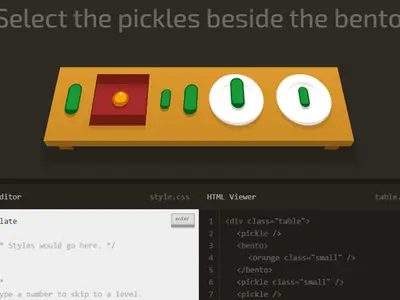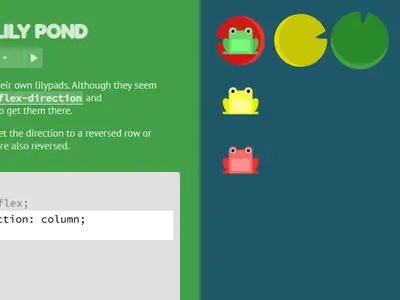
A row of frogs needs to reach the lily pads that match their colors, and the only way to move them is with CSS. Flexbox Lily Pond unblocked by Thomas Park teaches the flexbox layout model one small property at a time, using real code on a real container.
The frogs slide the moment you type, so you can see what each value does instead of reading about it. It is a gentle first step into layout for anyone learning to build web pages.
How to play Flexbox Lily Pond
Each level gives you a short lesson, a code box and the pond. The pond is already set to display: flex, and you add the missing lines below it. When every frog sits on a pad of its own color, the Next button lights up.
The 24 levels build on each other. You start by spacing frogs along a row with justify-content and lining them up vertically with align-items. Next, flex-direction stands the line on end or runs it backward. Later levels move single frogs with order and align-self, and spread frogs over several lines with flex-wrap, flex-flow and align-content.
Settings below the editor let you change difficulty and turn on a colorblind mode. On harder settings the instructions are hidden, so you work out the answer from the pond alone.
Controls
| To… | Keyboard | Mouse | Touch |
|---|---|---|---|
| Type CSS | Type in the code box | — | Tap the code box and use the on-screen keyboard |
| Submit a correct answer | Enter on the last line, or Ctrl + Enter | Click "Next" once it lights up | Tap "Next" |
| Pick a level | — | Click the level counter, then a level number, or use the side arrows | Tap the level counter, then a level number |
| Read about a property | — | Click a highlighted property name in the instructions | Tap a highlighted property name |
| Change difficulty or colorblind mode | — | Click "Settings" under the editor | Tap "Settings" |
Tips
- Remember the main axis. justify-content works along the direction items flow, and align-items works across it. Change flex-direction and their jobs swap.
- Watch out for the reverse values. Once the flow is reversed, start and end trade places as well, which is the cause of many puzzling results.
- Use align-self for the odd frog out. When one frog needs a different spot from the rest, give it its own rule instead of changing the whole pond.
- Click the highlighted words. Property names in the lesson open a short description with the possible values.
- Replay on a harder setting. Once you finish, try again with instructions hidden to check that the ideas really stuck.
Flexbox Lily Pond questions
Does my CSS have to match the expected answer?
No. The game checks the pond itself. Any valid code that lands each frog on its matching pad is accepted.
Are my answers saved?
Yes. Your typed answers and solved levels are stored in your browser, and solved levels show as done in the level menu.
Can I use it on a tablet?
Yes. On narrow screens the pond and editor stack, and the device keyboard pops up for typing. A wider screen shows both side by side.