Two hidden fleets, two grids and one shot per turn. Fleet Strike unblocked is the paper-and-pencil naval guessing game rebuilt for the browser, with a computer opponent that does real math instead of firing blindly.
It is based on Bill Mei's open-source Battleboat.js. A full battle takes a few minutes, and the computer's careful aim keeps you from coasting.
How to play Fleet Strike
First, set up your side. Pick a ship from the list, use Rotate Ship to choose across or down, and click a square on Your Fleet to place it. You get a carrier of 5 squares, a cruiser of 4, a destroyer and a submarine of 3 each, and a patrol boat of 2. Ships cannot overlap or run off the edge. Then press Start Game.
Take turns firing at the Enemy Fleet grid. Misses and hits are marked on the board. A ship sinks once every one of its squares is hit, and the computer answers each of your shots with one of its own.
Whoever sinks the other fleet first wins. Restart Game sets up a new battle with fresh enemy positions.
Controls
| To… | Mouse | Touch |
|---|---|---|
| Pick a ship to place | Click its name in the Place Your Ships list | Tap its name in the list |
| Turn the ship before placing it | Click "Rotate Ship" | Tap "Rotate Ship" |
| Place the ship | Click a square on Your Fleet (a preview shows on hover) | Tap a square on Your Fleet |
| Fire a shot | Click a square on Enemy Fleet | Tap a square on Enemy Fleet |
| Play again after a game ends | Click "Restart Game" | Tap "Restart Game" |
Tips
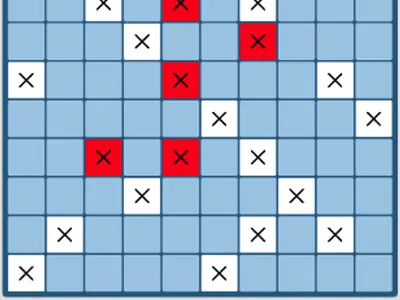
- Search in a diagonal pattern. No ship is shorter than two cells, so shooting only the squares of one checkerboard color is enough to touch every ship.
- Box in a hit. Probe the squares touching a fresh hit. A second hit shows which way the ship runs, so follow that line to the end.
- Avoid obvious spots. The computer tracks where ships can still fit, so packing ships tightly in one area makes them easier to find once it scores a hit.
- Use the edges with care. Ships along a border have fewer neighbors to probe, but the computer adjusts its odds there too, so do not rely on edges alone.
- Count what is left. Once the big ships are sunk, gaps too short for the remaining ships can be ignored.
Fleet Strike questions
How does the computer choose its shots?
It counts the possible ship placements that cover each open square and targets the square with the highest count. After a hit, nearby squares jump in likelihood, so it tends to finish ships fast.
Are my wins tracked?
Yes. The Stats panel records your wins and how accurate your shots are, stored on your device. A reset button clears it.
Can I play Fleet Strike on a phone?
Taps work, but the page scales down to show both boards at once, which makes each cell tiny on a small screen. A tablet, a sideways phone or a computer is more comfortable.