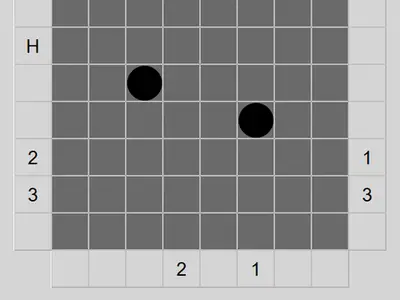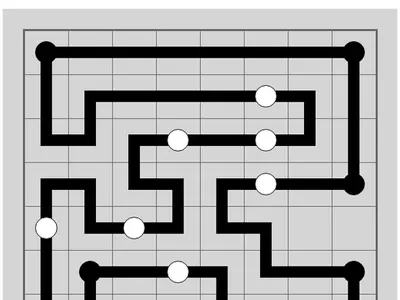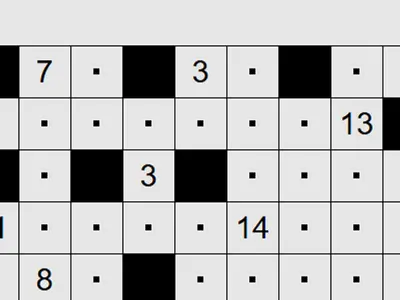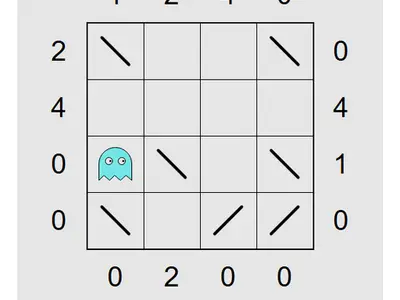
A railway company has started a line and walked off the job, leaving you a few scattered rails and two station ends. Train Track Logic unblocked asks you to finish the route so it fits the numbers printed around the map, with no extra pieces and no gaps.
James Harvey created the original, Tracks, and it ships as part of Simon Tatham's Portable Puzzle Collection. It looks simple, but the bigger grids take real thought.
How to play Train Track Logic
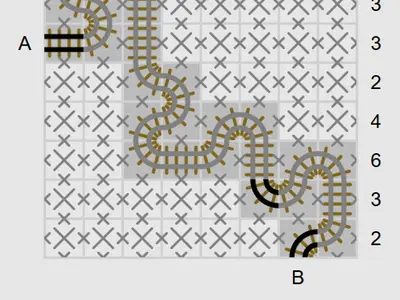
The line enters at A on the left side and exits at B along the bottom. Between them it is one continuous path made of straight rails and quarter turns. It never branches, crosses itself or forms a closed loop.
Numbers along the top count the track squares in each column, and numbers on the right do the same for rows. Every pre-printed rail is part of the answer, so build from those.
To lay rails, click the border between two squares. Right-click a border to cross it out. Clicking inside a square drops a marker meaning track goes through, and right-clicking means no track. You can drag along a line of squares to mark it in one go. Overfilled lines show their clue in red, and a finished route makes the map flash.
Built-in sizes go from 8x8 up to 15x15, each with Easy, Tricky and Hard settings, and Custom covers the rest.
Controls
| To… | Keyboard | Mouse | Touch |
|---|---|---|---|
| Lay a track piece across an edge | Arrow keys to move onto an edge, then Enter | Left-click the edge between two squares | Tap the edge with Tap set to Track |
| Mark an edge as "no track here" | Space on an edge | Right-click the edge | Press and hold the edge, or set Tap to Cross and tap |
| Mark a square as "has track" / "no track" | Enter / Space on a square | Left-click / right-click inside the square | Tap / press and hold inside the square |
| Mark a whole line of squares | — | Left- or right-drag across several squares | Drag (press and hold first for crosses) |
| New game, undo, redo | N, U, R | Menu buttons above the grid | Menu buttons above the grid |
Tips
- Fill the extremes first. A clue of zero means the whole line is empty, and a clue equal to the line length means every square has track.
- Think in pairs of edges. A track square uses exactly two sides. Once two sides are crossed out, the other two must connect.
- Grow from the given rails. Every printed piece leads into an adjacent square that has to hold rail too.
- Cross out finished lines. When a row has all the track it needs, mark the rest as empty so you can see what is left.
- Avoid closing a loop. A closed circuit leaves A and B unconnected, so watch for near-loops.
Train Track Logic questions
What is the difference between a marker and a rail?
A rail joins two squares across an edge and shows the actual path. A marker inside a square only notes that track passes through, before you know which direction.
Can I undo mistakes?
Yes. Undo and redo have no limit, and a Solve button reveals the answer if you want to check your work.
Can I play on a touch screen?
Yes. Tap to lay rails or marks, and drag across squares to mark a whole run. For crosses, press and hold first or switch the tap mode to Cross.