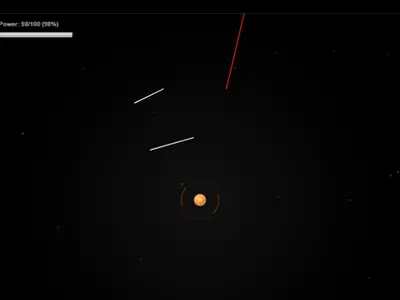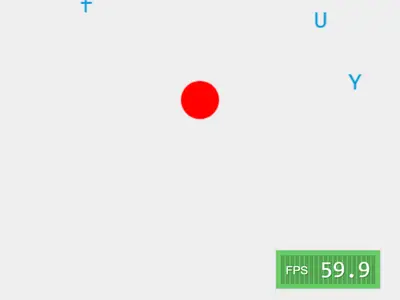
Forget full sentences and word lists. Here every threat is a single letter, and your keyboard is the only shield you have. Letters drift from each side of the screen toward a red circle in the middle, and Typer Defense unblocked asks you to tap each one away before it lands.
The original, named Typer, is an open-source project by Berk Erol. It makes a handy warm-up for learning where keys sit without looking down.
How to play Typer Defense
Each letter spawns at a random height and moves at its own speed. Press a letter that is on screen and it pops into a spray of colored dots for one point. Press a letter that is not there and you lose a point, so random mashing backfires.
Case matters at the start. Capitals need Shift held down, and lowercase letters need it released. The button at the top switches case sensitivity off, which leaves only lowercase letters on screen and makes Shift irrelevant.
You have 10 lives, counted in the top right corner. Each letter that reaches the core costs one life and clears the screen. When the last life is gone, the run ends and a new one begins.
Controls
| To… | Keyboard | Mouse |
|---|---|---|
| Destroy a letter | Press the matching letter key | — |
| Type an uppercase letter | Shift + the letter | — |
| Pause or resume | Esc | — |
| Switch case sensitive on or off | — | Click the "Case sensitive" button |
Tips
- Look at distance and speed together. A fast letter halfway in is more urgent than a slow one near the edge.
- Hit repeat letters twice. When the same letter shows up more than once, one press clears the most recent copy rather than the nearest. Press again to be safe.
- Learn without capitals first. Turning case sensitivity off lets you build speed before adding Shift back in.
- Read before you press. Since wrong keys take a point away, a short pause to confirm the letter beats guessing.
- Pause during a rush. Esc freezes the action so you can reset your hands when a cluster arrives.
Typer Defense questions
Do number keys or the space bar count against me?
No. Only letter keys are scored. Numbers, the space bar and other keys are ignored.
Can I play Typer Defense on a tablet?
Not really. The game listens for physical key presses, and phones and tablets never pop up a virtual keyboard here. Use a computer or Chromebook.
Is there a high score?
Your current score shows on screen while you play, but the game does not keep a saved best between runs.