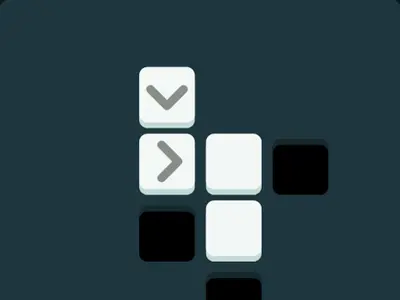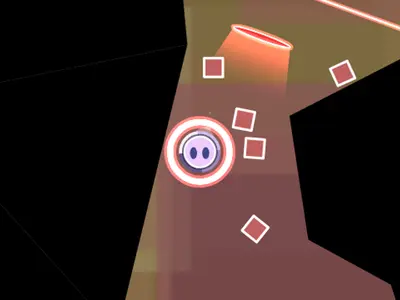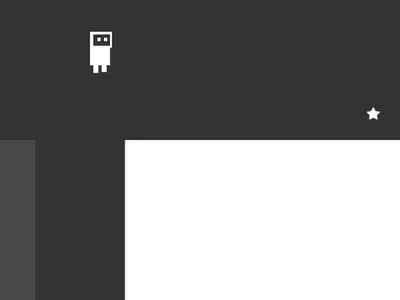
One button changes the whole level. OnOff unblocked splits every screen into two sets of platforms, a light set and a dark set, and only one of them is solid at any moment. Press Space and they trade places.
Daniel Marino and Brad Dunbar made it for the js13k contest in 2018. It has sharp black-and-white shapes, a bouncy soundtrack and even a level editor for building your own stages.
How to play OnOff
Each screen has a star. Run and jump your robot to it and the next level begins right away. Blocks on the live layer hold your weight. The resting layer shows up as thin ghost shapes that you move right through.
Hit Space to swap them. A pit too wide to clear may hide a ledge on the second set, and a blocking wall can vanish after one tap. Spikes belong to a layer too, so they only hurt while that layer is active.
Your robot breaks if it falls off the screen, touches live spikes or is inside a block when that block turns solid. The level then restarts with no limit on tries, and a counter at the top tracks your falls and cleared levels.
Controls
| To… | Keyboard | Mouse |
|---|---|---|
| Move left or right | A / D or Left / Right arrows | — |
| Jump | W or Up arrow | — |
| Switch platform layer | Space | — |
| Pick a menu item | Up / Down arrows, then Enter | — |
| Leave a custom level | Escape | — |
| Place and edit pieces in the editor | P adds a platform, S + U/D/L/R adds spikes, G tests the level | Drag to move or resize, double-click to change layer, Shift + click to delete |
Tips
- Jump, then flip. Switching in midair is safe as long as no block appears where your robot is.
- Study the faint shapes. They show the other layer, so map out a path using both before you move.
- Fall through floors on purpose. Flip to drop through the current floor, then flip back to land on a lower one.
- Turn spikes off. Spikes on the ghost layer can't hurt you, so a quick flip can make a deadly strip safe.
- Take off from the edge. Your jump is short, so leave from the very lip of a gap to cover the most ground.
OnOff questions
Why did my robot burst when I pressed Space?
A block on the new layer appeared right where the robot stood. Check that nothing from the second set overlaps your robot before you swap.
Does it work with a controller?
Yes. Plug in a gamepad and you can run, jump and swap layers with it. The title menu has a screen listing the buttons.
Can I play on a touchscreen?
No. The game has no touch buttons, so play it with a keyboard or a controller.
How does the level editor work?
Open it from the title menu. Add platforms and spikes, drag to move or resize them, then test your level right away.